
Native Ads: What They Are and How Publishers Use Them
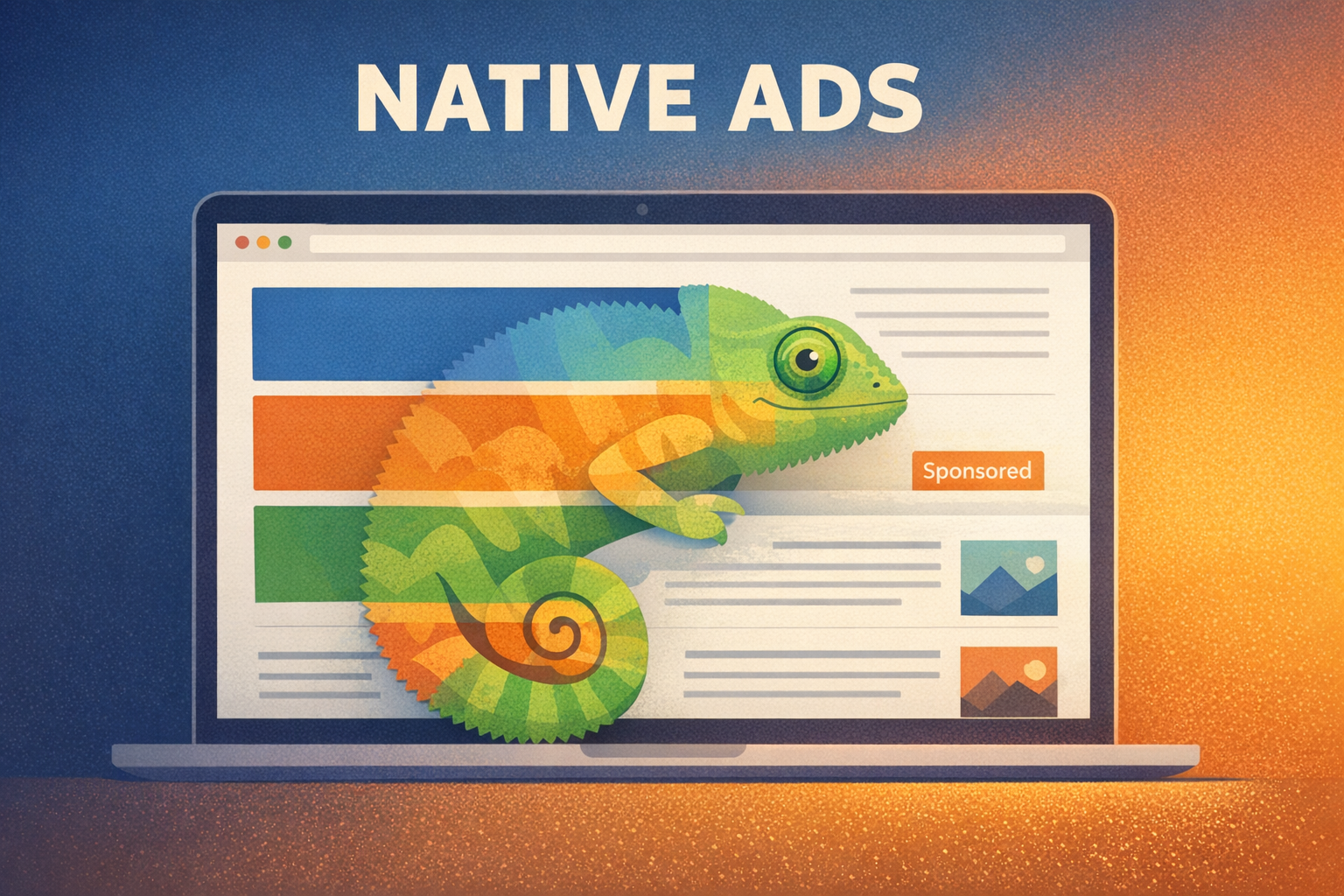
Banner blindness is real. Studies show that users ignore standard display ads at rates above 80%, and average click-through rates for standard display banners sit between 0.10% and 0.50%. Native ads offer an alternative: ad units that match the visual design and function of the content around them, earning click-through rates two to five times higher than traditional display.
For publishers, native advertising represents both a revenue opportunity and a user experience advantage. This guide explains what native ads are, walks through the major formats with real-world examples, compares performance to display, and covers best practices for implementation.
What Are Native Ads?
Native ads are paid placements designed to look and feel like the editorial content or interface elements surrounding them. Unlike banner ads that sit in clearly defined ad slots, native units blend into the page layout, matching the site’s typography, colors, and content format.
The key characteristics of native advertising are:
- Form – The ad matches the visual design of the surrounding content
- Function – The ad behaves like the content around it (clickable cards in a feed, playable videos in a video stream)
- Disclosure – Labels like “Sponsored,” “Ad,” or “Promoted” identify the unit as paid content
The Interactive Advertising Bureau (IAB) formalized native advertising standards in its Native Advertising Playbook, which categorizes native ad types and sets implementation guidelines. The common thread across all of them: the ad experience is non-disruptive and contextually relevant.
Types of Native Ad Formats
Native advertising is not a single format but a category that includes several distinct placement types. Here are the main ones publishers work with.
In-Feed Ads
In-feed ads appear within a content feed – an article list, a social media timeline, or a product listing. They mirror the format of surrounding items, with a headline, thumbnail image, and short description, plus a “Sponsored” or “Ad” disclosure.
This is the most common native format for publishers. When a reader scrolls through your homepage or category page, in-feed ads appear as additional content cards that link to an advertiser’s page or article.
Example: A news site’s homepage displays article cards in a vertical feed. Between the third and fourth editorial cards, a sponsored card appears with the same layout – thumbnail, headline, source label – but leads to a brand’s content page.
Content Recommendation Widgets
Content recommendation widgets typically appear at the bottom of articles under headings like “You May Also Like” or “Recommended For You.” They display a grid or row of clickable cards mixing editorial recommendations with sponsored links.
Platforms like Taboola and Outbrain power most content recommendation widgets. These widgets are among the easiest native formats to implement since they require minimal design work – the platform handles rendering.
Example: After finishing an article about travel destinations, a reader sees a “Recommended Stories” section showing six cards. Four link to other articles on the same site, and two are sponsored cards linking to advertiser content, all presented in the same visual format.
In-Article (In-Content) Ads
In-article native ads are inserted between paragraphs of editorial content. They can include images, video, or rich media and are styled to complement the article layout. Unlike standard banner ads that interrupt content with a clearly separate ad block, in-article native units feel like a natural pause in the reading flow.
Example: A technology review article contains an in-article native ad between paragraphs four and five. The ad features a product image and short description styled in the same font and column width as the editorial text, with a “Sponsored” label.
Paid Search Ads
Paid search ads appear at the top of search engine results pages, formatted identically to organic results but with an “Ad” or “Sponsored” label. Google Ads, Microsoft Advertising, and other search platforms serve these. While publishers don’t typically serve paid search ads on their own sites, understanding this format is useful for the broader native advertising picture.
Promoted Listings
E-commerce sites and marketplaces use promoted listings to surface sponsored products within search results and category pages. These ads match the format of organic product listings – same image size, price display, and rating stars.
Example: On a marketplace, the first two product results in a “running shoes” search are sponsored listings that look identical to organic results except for a small “Sponsored” badge.
Native Video Ads
Native video ads appear within video feeds or as in-content video players that auto-play (usually muted) as users scroll. They match the video player style of the surrounding content. Outstream video – video ads that play outside a traditional video player, embedded within article content – is a popular variant for publishers who don’t produce their own video content.
Native Ads vs Display Ads: Key Differences
Understanding how native ads compare to standard display helps publishers make informed decisions about their ad stack. Here is a side-by-side comparison.
| Factor | Native Ads | Display Ads |
|---|---|---|
| Appearance | Matches surrounding content design | Distinct, standardized banner sizes |
| Average CTR | 0.20% – 0.50% | 0.05% – 0.35% |
| User experience | Non-disruptive, editorial feel | Can cause banner blindness or annoyance |
| Implementation | Requires design integration | Standard IAB slots, easy to implement |
| Ad blockers | Harder to block (rendered as content) | Commonly blocked by ad blockers |
| Programmatic support | Growing via OpenRTB Native | Fully supported across all exchanges |
| Creative control | Publisher controls layout; advertiser provides assets | Advertiser controls the full creative |
The click-through rate difference is the headline number: native ads consistently deliver CTRs two to five times higher than standard display. However, native ads also tend to carry lower CPMs than premium display placements like high-viewability sticky units. The optimal strategy for most publishers is a mixed approach – using native formats alongside display to maximize both engagement and page RPM.
Native Advertising Examples
To make the concept concrete, here are real-world examples of how native advertising appears across different contexts.
News Publisher In-Feed
Major news sites like CNN, BBC, and The Guardian integrate sponsored content cards into their article feeds. A sponsored card promoting a financial services brand appears between editorial headlines, using the same card format, font, and layout. The only difference is a small “Paid Content” or “Sponsored” label beneath the headline.
Social Media Feeds
Instagram sponsored posts, Facebook promoted content, and X (Twitter) promoted tweets are all native ads. They appear in users’ feeds alongside organic posts from friends and followed accounts, using the same post format with an “Ad” or “Sponsored” indicator.
Content Recommendation Sections
Visit almost any major publisher and scroll to the bottom of an article. The “Around the Web” or “You Might Like” section powered by Taboola or Outbrain mixes genuine article recommendations with sponsored content. These widgets generate significant revenue for publishers – content recommendation accounted for billions in global ad spend in 2025.
Sponsored Articles (Brand Content)
Some publishers create full editorial-quality articles written for or by a brand. The New York Times’ T Brand Studio and The Atlantic’s Re:think are prominent examples. These sponsored articles live on the publisher’s site, match the editorial design, and are clearly labeled as paid partnerships. This format commands premium pricing but requires significant editorial resources.
Benefits of Native Ads for Publishers
Native advertising offers several advantages over relying solely on display ads.
Higher Engagement Rates
Users interact with native ads at significantly higher rates than display. Research from Sharethrough and IPG Media Lab found that consumers looked at native ads 53% more frequently than display ads. Higher engagement means more clicks, better advertiser performance, and – for publishers – a format that advertisers are willing to pay for.
Better User Experience
Native ads reduce the friction that aggressive display advertising creates. Users are less likely to feel interrupted or annoyed, which means lower bounce rates and longer session durations. For publishers focused on building loyal audiences, this matters as much as revenue per page.
Ad Blocker Resilience
Because native ads are rendered as part of the page content rather than loaded from obvious ad-serving domains, they are harder for ad blockers to detect and filter. This does not mean publishers should use native ads to circumvent user preferences, but it does mean that native revenue is more resilient to ad blocker adoption than display revenue.
Diversified Revenue
Adding native formats alongside display, header bidding, and direct deals creates a more diversified revenue mix. If display CPMs drop due to seasonality or market conditions, native placements provide a buffer. Publishers using multiple ad formats consistently earn higher total RPM than those relying on a single format. Platforms like Clickio automate this by testing native alongside other formats and measuring session RPM to find the combination that maximizes total revenue.
Mobile Performance
Native ads perform particularly well on mobile where screen space is limited. Standard display banners compete for small viewport real estate, but in-feed native units integrate naturally into the scroll experience. With mobile traffic exceeding desktop for most publishers, native’s mobile-first design is a significant advantage.
How Native Ads Work in Programmatic
Native ads are no longer limited to direct deals and content recommendation platforms. Programmatic advertising now supports native through the OpenRTB Native specification, which standardizes how native ad requests and responses are structured across ad exchanges and demand-side platforms.
Here is how programmatic native works:
- Publisher defines a native placement – The publisher’s ad server or supply-side platform specifies what native assets the placement requires: headline, image, body text, brand name, and optionally a call-to-action button.
- Bid request includes native object – When the page loads, a bid request goes out via header bidding or server-side auction. The request includes a native object describing the required assets and their constraints (image dimensions, text length limits).
- DSPs respond with creative assets – Rather than sending a fully rendered ad creative, DSPs respond with individual assets (title, image URL, description, click URL) that the publisher’s template assembles.
- Publisher renders the ad – The publisher’s site applies its own CSS and layout to the received assets, ensuring the final ad matches the site’s design.
This asset-based approach is what makes native ads truly native: the publisher controls presentation while the advertiser provides content. Major exchanges like Google Ad Exchange (AdX), Xandr, and Index Exchange all support programmatic native bidding.
Top Native Ad Platforms for Publishers
Several platforms specialize in native ad monetization. Here are the main options publishers should evaluate.
Google Ad Manager / AdSense
Google Ad Manager (GAM) is the most widely used ad server for native among mid-to-large publishers. GAM supports native through two complementary features: native styles, which let you build rendering templates with a visual editor or custom HTML/CSS, and custom native ad formats, where you define the exact asset fields (headline, image, body, CTA) that advertisers must supply. Because GAM connects directly to Google Ad Exchange demand and supports Prebid-based header bidding, native placements in GAM compete in the same unified auction as display and video, maximizing yield per impression.
AdSense offers a simpler path with ready-made in-feed and in-article native ad units that require minimal configuration. These are a good starting point for smaller publishers, though they offer less control over layout and demand sources than a full GAM setup.
Content Recommendation Platforms
Platforms like Taboola and Teads power the “Recommended For You” widgets you see at the bottom of articles on major publisher sites. These are among the easiest native formats to deploy since the platform handles rendering, demand, and optimization. They work well as a complement to in-content native and display, though publishers should monitor content quality carefully to protect their brand.
Full-Service Monetization Partners
Rather than managing native as a separate channel, many publishers work with a monetization partner like Clickio that integrates native into a broader ad stack. Clickio includes native as one of its 10+ ad formats, managed through automated layout optimization that tests native alongside display, sticky, and in-content units to find the highest-performing combination. This approach removes the need to configure native templates, manage separate demand sources, or manually A/B test placements.
For a broader comparison of monetization platforms, see our guide to Google AdSense alternatives.
Best Practices for Implementing Native Ads
Getting native advertising right requires balancing revenue goals with user experience and regulatory compliance. Here are the practices that separate effective implementations from problematic ones.
1. Always Disclose
Clear labeling is not optional. The FTC, the EU’s Unfair Commercial Practices Directive, and most national advertising standards require that paid content be clearly identified. Use labels like “Sponsored,” “Ad,” or “Paid Content” in a visible position. Attempting to hide the commercial nature of native ads erodes reader trust and risks regulatory penalties.
2. Match Quality to Editorial Standards
Native ads inherit your site’s credibility through association. Low-quality clickbait in recommendation widgets (“You Won’t Believe What Happened Next”) damages your brand even though you did not write the content. Use platform controls to filter categories, block specific advertisers, and set quality thresholds. Review the content that appears on your site regularly.
3. Limit Density
Filling every available position with native ads defeats the purpose. If more content cards are sponsored than editorial, users lose trust in the feed. A good rule of thumb: keep native ad density below 25% of total feed items. Google’s Better Ads Standards apply to native formats too – excessive ad density triggers Chrome’s built-in ad filtering.
4. Optimize Placement
Test different positions to find the sweet spot between visibility and user experience. Common high-performing placements include:
- In-feed: After the 3rd or 4th editorial card (high visibility, not too aggressive)
- In-article: Between paragraphs 3-5, after the reader is engaged but before attention drops
- End-of-article: Content recommendation widgets perform well here because the reader has finished and is looking for what to read next
- Sidebar: Native units in sidebar positions typically underperform compared to in-content placements
5. Use Responsive Templates
Native ads must adapt to different screen sizes, especially since mobile typically accounts for 60-70% of publisher traffic. Build or configure native templates that adjust image sizes, text truncation, and layout between mobile and desktop. A native unit that looks polished on desktop but breaks on mobile wastes the majority of your impressions.
6. Monitor Performance by Placement
Track CTR, viewability, and revenue per placement, not just overall native revenue. A single poorly performing placement can drag down averages. Use your ad server’s reporting to identify which native positions deliver the best balance of revenue and user engagement, and reallocate accordingly.
Native Ads and Core Web Vitals
Like all ad formats, native ads affect page performance. Poorly implemented native placements can cause layout shifts (impacting Cumulative Layout Shift) and increase page load time (impacting Largest Contentful Paint). Here is how to minimize the impact:
- Reserve space – Define explicit dimensions for native ad containers in CSS to prevent layout shift when ads load
- Lazy load below the fold – Defer loading native ads that are not in the initial viewport
- Minimize third-party scripts – Each native platform adds JavaScript. Be selective about how many different native vendors you load on a single page
- Test with PageSpeed Insights – Measure Core Web Vitals before and after adding native placements to quantify the impact
Publishers using multiple ad formats – display, native, video – should work with a monetization partner that handles performance optimization across all placements rather than managing each format independently.
Monetize with Native Ads Through Clickio
Clickio’s monetization platform includes native ad formats as part of its 10+ high-performance ad format library. Clickio’s native units are non-intrusive, editorial-style placements that integrate within your content and work across desktop, mobile, and AMP. Combined with Clickio’s automated ad layout optimization – which tests different format combinations and measures session RPM to find the highest-performing setup – native ads become part of a holistic strategy rather than a standalone addition.
Clickio also manages demand diversification through header bidding with 20+ demand partners, ensuring that your native placements compete alongside display and video for the highest-paying bid. With built-in Core Web Vitals monitoring and supply path optimization, you can add native formats without sacrificing page performance or revenue efficiency.
FAQ
Are native ads the same as sponsored content?
Sponsored content is one type of native advertising, but they are not the same thing. “Native ads” is the broader category that includes in-feed ads, content recommendation widgets, in-article placements, and more. Sponsored content specifically refers to full articles or videos created for a brand that live on the publisher’s site.
Do native ads work with header bidding?
Yes. Prebid.js supports native ad units through its native module, and most major SSPs and exchanges can accept and respond to native bid requests. This means native placements can compete in the same header bidding auction as display, ensuring you get the best price for each impression.
How much do native ads pay publishers?
Native CPMs vary widely by market, audience, and placement. Content recommendation widgets (Taboola, Outbrain) primarily pay on a cost-per-click basis, translating to effective CPMs of roughly $0.50 – $3.00 for most publishers. Programmatic native through exchanges can command $1.00 – $5.00+ CPM. Direct-sold native and branded content commands the highest rates – often $10 – $50+ CPM – but requires a sales team and significant editorial resources.
Can I use native ads alongside AdSense?
Yes. Google’s policies allow publishers to run native ad platforms alongside AdSense, as long as the total ad density on the page complies with Better Ads Standards and the native ads are clearly labeled. Many publishers run AdSense or Ad Manager for standard display and a separate native platform for content recommendation widgets.
Are native ads ethical?
When properly disclosed, native ads are an established and accepted advertising format. The ethical concern arises when native ads are disguised as editorial content without disclosure. As long as you use clear labeling (“Sponsored,” “Ad,” “Paid Content”) and maintain quality standards for the content that appears on your site, native advertising is both ethical and effective.
Conclusion
Native ads have moved from a niche format to a core component of publisher monetization. With higher engagement rates than display, better mobile performance, and growing programmatic support, native advertising deserves a place in most publishers’ ad stacks.
The key to success is implementation quality: match your site’s design, maintain editorial standards for ad content, optimize placements based on data, and always disclose. Combined with display, video, and header bidding, native ads help publishers build diversified revenue streams that are resilient to market shifts.
Ready to add native formats to your monetization strategy? Sign up with Clickio to access native, display, and video formats with automated optimization and 20+ demand partners – all managed for you.