
What Is an Ad Server? How Ad Serving Works for Publishers
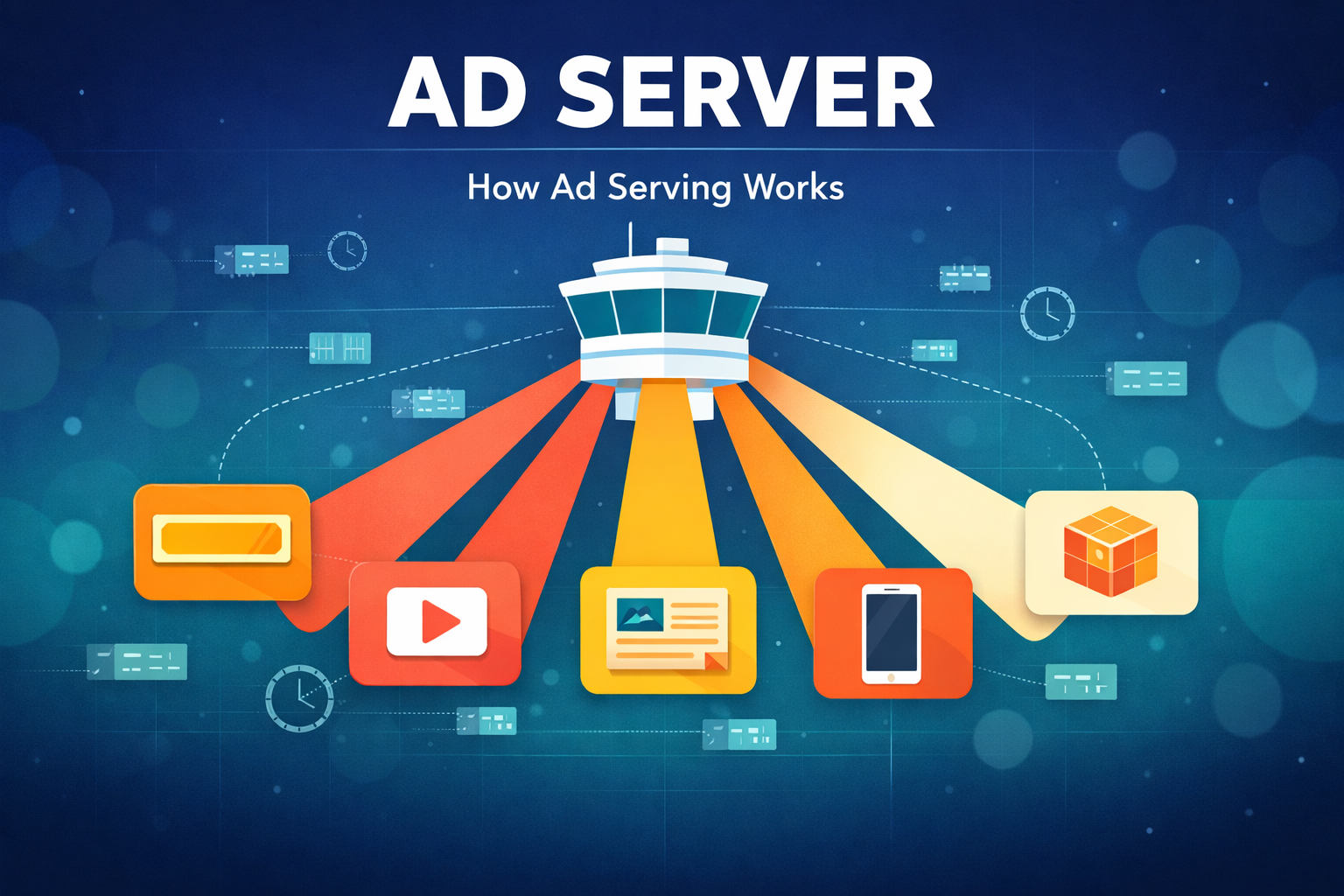
Every time a visitor loads a page on your website, a decision is made in milliseconds about which ad to show them. The technology that makes that decision, stores the ad creative, delivers it to the browser, and records the impression is an ad server. If you monetize your website with display advertising, an ad server sits at the center of everything.
Despite being foundational to ad tech, ad servers are often misunderstood by publishers. Many know they use one – typically Google Ad Manager – but few understand how ad serving decisions actually work or how their ad server configuration directly affects revenue. This guide explains all of it.
Table of Contents
- What Is an Ad Server?
- How Ad Serving Works: Step by Step
- Key Features of an Ad Server
- Google Ad Manager as an Ad Server
- Ad Server vs Ad Network vs Ad Exchange
- How Ad Serving Decisions Are Made
- Ad Servers in the Programmatic Ecosystem
- How to Choose an Ad Server
- Frequently Asked Questions
What Is an Ad Server?
An ad server is software that stores advertising creatives, decides which ad to display for each impression, delivers the ad to the user’s browser or app, and tracks performance data such as impressions, clicks, and revenue. Think of it as the traffic controller of digital advertising – it sits between advertisers who want to show ads and publishers who have ad space to fill.
At its most basic, an ad server does four things:
- Stores ad creatives – image banners, video files, HTML5 ads, native ad components, and the code that renders them
- Makes serving decisions – when an ad request arrives, the ad server evaluates targeting criteria, priority rules, and available demand to select the best ad
- Delivers the ad – serves the creative to the user’s browser or app as quickly as possible
- Records data – logs impressions, clicks, viewability, and revenue for reporting and optimization
Modern ad servers do far more than this basic set. They run real-time auctions, enforce frequency caps, manage multiple demand sources, apply price floors, and provide detailed analytics. But the core function remains the same: for every ad impression, the ad server decides what to show and tracks the result.
How Ad Serving Works: Step by Step
When a visitor loads a page on your website, the ad serving process happens in the background in roughly 100-300 milliseconds. Here is what happens at each step:
- Page loads, ad tag fires – Your webpage contains ad tags (small pieces of JavaScript) placed in each ad slot. When the page loads, each tag sends an ad request to your ad server.
- Ad request carries data – The request includes information about the ad slot (size, position), the page (URL, content category), and the user (device type, geography, consent status). This data is used for targeting.
- Ad server evaluates demand – The ad server checks all available demand sources: direct campaigns, programmatic demand from DSPs via header bidding or real-time bidding, house ads, and any other line items. It evaluates each option against targeting rules, priority settings, and price.
- Winning ad selected – Based on the competition rules (which vary by ad server), one ad wins the impression. In Google Ad Manager, this involves a priority hierarchy where guaranteed campaigns are served first, then remaining inventory goes to the highest programmatic bid.
- Creative delivered – The ad server returns the winning ad creative (or a redirect to it) to the user’s browser, which renders the ad in the designated slot.
- Impression recorded – The ad server logs the impression, tracks viewability (whether the ad was actually visible on screen), and records any subsequent clicks or interactions.
This entire cycle repeats for every ad slot on every page view across your entire site. A publisher serving 10 million page views per month with an average of 4 ad slots per page is processing 40 million ad serving decisions monthly.
Key Features of an Ad Server
Not all ad servers are equal. The features available in your ad server directly affect how efficiently you can monetize your inventory. Here are the key capabilities to understand:
Ad Inventory Management
The ad server lets you define and organize your ad inventory: which ad sizes you offer, where they appear on the page, and how they are grouped. Good inventory management means you can offer advertisers specific placements (e.g., “homepage leaderboard” or “article sidebar”) and set different rules for each.
Targeting and Segmentation
Ad servers support various targeting criteria to match the right ad to the right user:
- Geographic targeting – serve different ads by country, region, or city
- Device targeting – desktop, mobile, or tablet
- Content targeting – match ads to page content or site section
- Time-based targeting – dayparting, flight dates, time zones
- Audience targeting – based on user data segments (where privacy regulations allow)
- Key-value targeting – custom publisher-defined parameters for advanced targeting
Priority and Competition Rules
When multiple ads compete for the same impression, the ad server uses priority rules to decide the winner. In Google Ad Manager, this is a hierarchical system:
- Sponsorship and standard campaigns (guaranteed direct deals) get first priority
- Preferred deals (non-guaranteed but pre-negotiated rates) come next
- Remaining inventory goes to programmatic demand through Open Bidding, header bidding, and ad exchange auctions
- House ads (self-promotional) fill any remaining unfilled impressions
How you configure these priority rules has a significant impact on revenue. Setting direct campaign priorities too high can block higher-paying programmatic bids; setting them too low risks under-delivering on guaranteed commitments.
Frequency Capping
Frequency capping limits how many times a specific ad is shown to the same user within a defined time period. This prevents ad fatigue (where users become blind to or annoyed by repetitive ads) and helps advertisers distribute their budget across more unique users. Publishers benefit because diverse ads tend to maintain higher engagement rates and click-through rates.
Reporting and Analytics
Ad servers collect detailed data on every impression served. Publisher-side reporting typically includes impressions, clicks, CTR, revenue, eCPM, fill rate, viewability, and breakdowns by ad unit, device, geography, and demand source. This data is essential for identifying underperforming inventory, optimizing ad layouts, and making informed decisions about demand partners.
Creative Management
Ad servers handle multiple creative formats – standard display banners, rich media, video (VAST), native ads, and HTML5. They also manage creative rotation, A/B testing between different ad versions, and creative-level approval workflows that let publishers review ads before they appear on their site.
Google Ad Manager as an Ad Server
Google Ad Manager (GAM) is by far the most widely used ad server for publishers. It combines ad serving with a built-in programmatic marketplace, making it both an ad server and a supply-side platform.
GAM comes in two versions:
- Google Ad Manager (free) – available to all publishers, with monthly impression limits that vary by region (90 million non-video in the US and Canada, up to 200 million in Europe and Asia) and 800,000 video impressions globally. Includes core ad serving, programmatic demand via AdX, and basic reporting.
- Google Ad Manager 360 – the enterprise version with advanced features including audience segmentation, granular reporting, programmatic guaranteed deals, and dedicated support. Requires a contract with Google and is typically available to publishers with significant traffic.
What makes GAM dominant is its integration with the Google advertising ecosystem. It provides direct access to Google AdX (the largest ad exchange), supports Open Bidding for server-side demand competition, and integrates with Google Analytics and Google AdSense. For most publishers, GAM provides the best combination of demand access, features, and cost (free for the standard version).
However, GAM’s full potential is only unlocked when it is configured correctly. Setting up optimized line items, price floors, and demand source competition requires ad operations expertise that many publishers lack. This is where working with a Google Certified Publishing Partner like Clickio becomes valuable – Clickio manages your GAM setup, configures optimal demand competition across header bidding, Open Bidding, and direct demand, and continuously optimizes your ad serving configuration to maximize revenue.
Ad Server vs Ad Network vs Ad Exchange
These three terms are frequently confused, but they serve distinct roles in the advertising ecosystem:
| Component | What It Does | Analogy |
|---|---|---|
| Ad Server | Stores ads, decides which ad to show, delivers the creative, and tracks performance | The traffic controller that directs cars (ads) to the right lanes (ad slots) |
| Ad Network | Aggregates inventory from multiple publishers and sells it to advertisers as packages, often with added targeting or audience data | A travel agent that bundles hotels (publishers) into vacation packages for tourists (advertisers) |
| Ad Exchange | An open marketplace where publishers and advertisers buy and sell individual impressions through real-time auctions | A stock exchange where individual shares (impressions) are traded in real time |
An ad server is infrastructure – it is the technology that makes ad delivery possible. An ad network and an ad exchange are business models for connecting supply (publishers) with demand (advertisers). Both ad networks and ad exchanges rely on ad servers to actually deliver ads to users.
In modern programmatic advertising, the lines have blurred. Google Ad Manager functions as both an ad server and an ad exchange (via AdX). Some SSPs also offer ad serving capabilities. But conceptually, the ad server remains the foundational layer that everything else is built on.
How Ad Serving Decisions Are Made
The way an ad server selects the winning ad for each impression is one of the most important things for publishers to understand. The decision process varies by ad server, but the general model used by Google Ad Manager – the most common publisher ad server – works like this:
The GAM Decision Hierarchy
- Sponsorship line items – highest priority. These are guaranteed direct deals sold at a fixed CPM with a guaranteed number of impressions. They always serve first when their targeting matches.
- Standard line items – next tier. Also guaranteed deals, but with more flexible delivery pacing. GAM will try to meet the impression goal by the campaign end date.
- Dynamic allocation and header bidding – GAM evaluates whether a real-time programmatic bid (from AdX, Open Bidding, or header bidding via key-value targeting) would pay more than the next available direct campaign. If the programmatic bid is higher, it wins. Header bidding bids are submitted before the ad server call and compete during this phase.
- Remaining inventory line items – non-guaranteed campaigns that fill leftover inventory. These include network, bulk, and price priority line items. They compete against each other by eCPM.
- House ads – lowest priority. Self-promotional ads that fill any unsold inventory.
This hierarchy is why ad server configuration matters so much. A publisher who only uses AdSense (no header bidding, no direct deals, no price floor optimization) is limiting the competition for each impression. Adding more demand sources through header bidding and ensuring proper competition in GAM is one of the most reliable ways to increase CPMs.
Pricing Rules
Pricing rules in Google Ad Manager let publishers set minimum price floors – the lowest CPM they will accept for an impression. Floors can be set globally or granularly by geography, device, ad unit, or even per bidder. Following changes in 2024, publishers can now set different floor prices for different demand sources, allowing more nuanced control over how inventory is sold. Effective floor management prevents inventory from being sold too cheaply while avoiding setting floors so high that impressions go unfilled.
Price floor optimization is a continuous process that requires testing and adjustment based on fill rate and revenue data. Setting it correctly is one of the highest-impact optimizations a publisher can make within their ad server.
Ad Servers in the Programmatic Ecosystem
The ad server does not operate in isolation. It is one component in a larger programmatic advertising ecosystem. Here is how it connects to the other pieces:
- Header bidding wrapper – runs an auction among multiple SSPs before the ad server call, sending the winning bids to the ad server as key-value targets. The ad server then compares these external bids against its own demand.
- SSPs (Supply-Side Platforms) – connect publishers to programmatic demand. They submit bids to the ad server through header bidding or server-side integrations like Open Bidding.
- DSPs (Demand-Side Platforms) – used by advertisers to bid on publisher inventory. DSP bids flow through SSPs and ad exchanges into the publisher’s ad server.
- Ad exchanges – marketplaces where the real-time auction happens. Google AdX is both an ad exchange and is integrated directly into Google Ad Manager.
- Ads.txt – a text file on the publisher’s domain that lists authorized sellers of their inventory. DSPs check ads.txt before bidding to verify they are buying from legitimate sources.
- Supply path optimization (SPO) – the process by which DSPs choose the most efficient path to reach publisher inventory, which affects how bids reach your ad server.
The publisher’s ad server is the final decision point. No matter how many SSPs, DSPs, and ad exchanges are involved in the transaction, the publisher’s ad server makes the final call on which ad appears. This is why ad server setup and optimization is so critical – it is the bottleneck through which all demand must pass.
How to Choose an Ad Server
For most publishers, the ad server decision is straightforward: Google Ad Manager is the industry standard for a reason. It is free, has the largest demand pool (via AdX), supports all major programmatic protocols, and is compatible with every header bidding wrapper. Unless you have very specific needs, GAM is the right choice.
That said, here are the factors to consider:
| Factor | What to Evaluate |
|---|---|
| Demand access | Does the ad server connect to the demand sources you need? GAM’s built-in AdX integration is a major advantage. |
| Impression limits | Free GAM has impression caps. If you exceed them, you need GAM 360 or an alternative. |
| Programmatic support | Does it support header bidding, Open Bidding, private marketplace deals, and programmatic guaranteed? |
| Reporting depth | Can you break down performance by ad unit, device, geography, demand source, and custom dimensions? |
| Cost | GAM standard is free. Other ad servers may charge CPM-based or monthly fees. |
| Support and expertise | GAM is powerful but complex. Many publishers work with a partner for setup and ongoing optimization. |
The real question for most publishers is not which ad server to use, but how to get the most out of Google Ad Manager. The gap between a basic GAM setup (just AdSense) and a fully optimized one (header bidding, multiple SSPs, optimized price floors, proper line item hierarchy) can represent a significant difference in revenue.
Clickio provides fully managed Google Ad Manager optimization for publishers. As a Google Certified Publishing Partner, Clickio handles the entire ad serving stack – from GAM configuration and header bidding setup to price floor optimization and demand partner management – through a single integration. Publishers get the benefit of expert ad operations without needing an in-house ad ops team.
Frequently Asked Questions
What is the difference between an ad server and an SSP?
An ad server is the technology that manages, delivers, and tracks ads on a publisher’s site. An SSP (supply-side platform) is a platform that connects publishers to programmatic demand by facilitating real-time auctions. The ad server is the final decision maker; the SSP is one of the demand sources that competes within the ad server for each impression.
Do I need my own ad server as a publisher?
Yes. Every publisher who runs display ads uses an ad server, whether they realize it or not. If you use Google AdSense, Google is acting as both the ad server and demand source in a simplified setup. If you use Google Ad Manager, you have your own ad server with full control over demand competition. For serious monetization, a dedicated ad server like GAM is essential because it lets you introduce competition between multiple demand sources.
Is Google Ad Manager free?
Yes. The standard version of Google Ad Manager is free to use, with monthly impression limits that vary by region (90 million non-video in the US/Canada, up to 200 million in Europe/Asia). The enterprise version, GAM 360, is a paid product with advanced features and higher limits.
What happens if an ad server goes down?
If your ad server is unavailable, ad slots on your site will either show blank spaces or fallback content (if configured). This means lost revenue for every impression that cannot be served. This is one reason most publishers use Google Ad Manager – Google’s infrastructure has extremely high uptime and reliability.
How do ad servers handle user privacy and consent?
Modern ad servers integrate with consent management platforms (CMPs) to respect user privacy choices. When a user’s consent status is passed to the ad server, it adjusts which demand sources can bid and what targeting data is shared. For example, if a user in the EU has not consented to personalized advertising under GDPR, the ad server will only request non-personalized ads. Google Ad Manager supports TCF (Transparency and Consent Framework) signals, US privacy strings, and other consent standards.
Can I use multiple ad servers at the same time?
It is technically possible but not recommended for most publishers. Using multiple ad servers creates complexity in inventory management, reporting reconciliation, and demand competition. The standard practice is to use a single ad server (typically GAM) and connect all demand sources to it. Header bidding effectively lets multiple SSPs compete within your single ad server, which achieves the goal of demand diversification without the operational overhead of multiple ad servers.