
What Is RPM? Revenue Per Mille Explained for Publishers
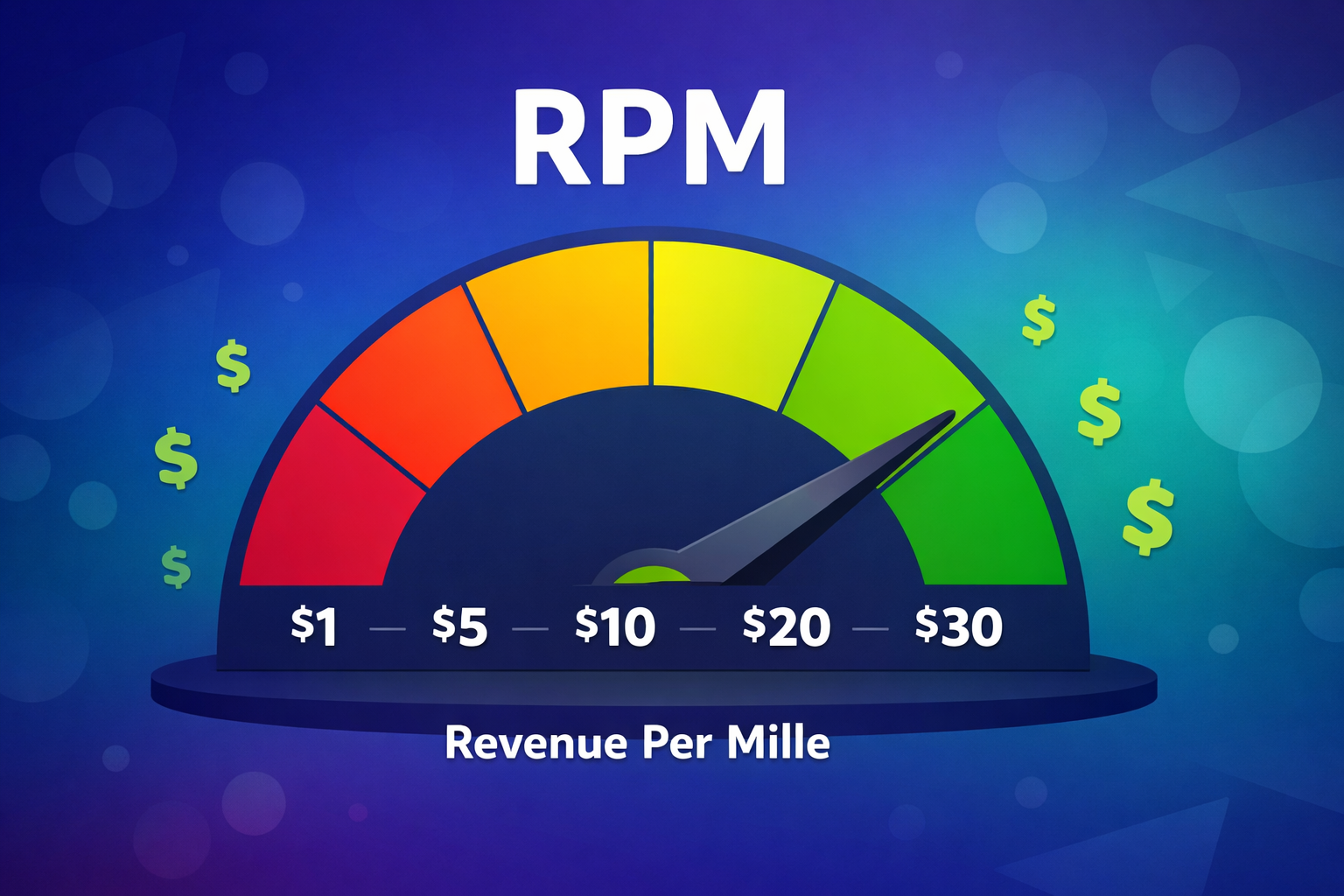
If you monetize your website with ads, you have probably seen RPM in your reporting dashboards. But what exactly does it measure, how does it differ from CPM, and – most importantly – what can you do to increase it?
This guide covers everything publishers need to know about RPM: what it means, how to calculate it, the difference between page RPM and session RPM, and proven strategies to improve it.
What Is RPM?
RPM stands for revenue per mille (mille is Latin for “thousand”). In its simplest form, RPM measures how much a publisher earns per 1,000 ad impressions – making it functionally the same as eCPM (effective CPM). Both use the same formula: (Earnings / Impressions) x 1,000. The difference is naming convention: Google AdSense uses “RPM” (specifically “impression RPM”), while Google Ad Manager uses “eCPM” for the same concept.
However, when publishers talk about RPM, they usually mean page RPM or session RPM – broader metrics that go beyond a single ad unit. Page RPM measures total revenue per 1,000 page views (across all ad units on the page), while session RPM measures total revenue per 1,000 user sessions. These are the numbers that matter most for business planning, because they reflect how effectively your entire site is turning traffic into ad revenue.
Unlike CPM, which represents the advertiser’s cost, all forms of RPM are publisher-side metrics. You will see RPM ads metrics throughout Google AdSense reporting (impression RPM, page RPM, ad request RPM), and the equivalent eCPM in Google Ad Manager.
RPM Formula: How to Calculate It
The impression-based RPM formula (equivalent to eCPM) is:
RPM = (Total Earnings / Total Impressions) x 1,000
This tells you what you earn per 1,000 impressions on a single ad unit. But for most publishers, page RPM is the more useful calculation:
Page RPM = (Total Revenue / Total Page Views) x 1,000
For example, if your site earned $150 from 50,000 page views:
Page RPM = ($150 / 50,000) x 1,000 = $3.00
This means you earn $3.00 for every 1,000 page views. You can also reverse the formula to estimate revenue from traffic projections:
Estimated Revenue = (Page Views / 1,000) x Page RPM
If you expect 200,000 page views next month at a $4.00 page RPM, your estimated revenue would be (200,000 / 1,000) x $4.00 = $800.
Page RPM vs Session RPM
There are two main types of RPM that publishers should track, and they answer different questions about your site’s performance.
Page RPM
Page RPM = (Total Revenue / Total Page Views) x 1,000
Page RPM tells you how much revenue each page generates on average. It accounts for all ad units on a page – so a page with three ad slots earning $1.50 each would have a page RPM of roughly $4.50.
Page RPM is useful for comparing the monetization performance of individual articles, sections, or content categories. It helps you identify which content is your most (and least) profitable.
Session RPM
Session RPM = (Total Revenue / Total Sessions) x 1,000
Session RPM measures revenue per 1,000 user sessions (visits). Because a single session can include multiple page views, session RPM captures the total value of a visitor’s entire journey on your site.
Session RPM is arguably the more important metric of the two, because it reflects the real economic value of attracting a visitor. A site with a $3.00 page RPM and 2.5 pages per session would have a session RPM of approximately $7.50 – meaning each visitor is worth $7.50 per thousand sessions.
Which Should You Track?
Track both. Use page RPM to optimize individual pages and content types. Use session RPM to evaluate traffic sources, audience quality, and overall site performance. Together, they give you a complete picture of your monetization health.
RPM vs CPM vs eCPM: What’s the Difference?
These three metrics are often confused, but they measure different things.
| Metric | Full Name | Perspective | What It Measures | Formula |
|---|---|---|---|---|
| CPM | Cost Per Mille | Advertiser | What the advertiser pays per 1,000 impressions for a single ad unit | (Ad Spend / Impressions) x 1,000 |
| eCPM / Impression RPM | Effective CPM / Impression Revenue Per Mille | Publisher | Publisher’s blended earnings per 1,000 impressions for a single ad unit. Same metric – Google Ad Manager calls it eCPM, Google AdSense calls it impression RPM | (Earnings / Impressions) x 1,000 |
| Page RPM | Page Revenue Per Mille | Publisher | Total revenue per 1,000 page views, across all ad units on the page | (Revenue / Page Views) x 1,000 |
| Session RPM | Session Revenue Per Mille | Publisher | Total revenue per 1,000 sessions, across all pages and ad units | (Revenue / Sessions) x 1,000 |
The key distinction: CPM, eCPM, and impression-based RPM all operate at the ad unit level – they tell you how much a single ad slot earns per 1,000 impressions. Page RPM and session RPM operate at a higher level – they tell you how much all ad units combined earn per 1,000 page views or sessions.
Think of it this way: if you have three ad units on a page, each with an eCPM of $2.00 and a 100% fill rate, your page RPM would be approximately $6.00. In practice, fill rates are rarely exactly 100%, so the actual page RPM may be slightly lower. RPM gives you the big-picture revenue number that matters for business planning.
For a deeper dive into CPM and how it affects your earnings, see our complete guide on what CPM is and how to increase it.
What Is a Good RPM?
RPM varies widely depending on niche, audience location, device mix, ad setup, and seasonality. There is no universal “good” number, but these ranges can serve as a rough guide for page RPM:
| Factor | Typical Page RPM Range (USD) |
|---|---|
| General content (worldwide) | $2.00 – $8.00 |
| US/UK/CA/AU-heavy traffic | $8.00 – $25.00+ |
| Tier 2 markets (BR, IN, MX, PL) | $1.00 – $5.00 |
| Finance / insurance niche | $15.00 – $50.00+ |
| Tech / SaaS niche | $8.00 – $20.00 |
| Entertainment / news | $3.00 – $10.00 |
| Recipes / lifestyle | $10.00 – $25.00 |
| Mobile-heavy traffic | $2.00 – $6.00 |
| Desktop-heavy traffic | $5.00 – $15.00 |
These figures are approximate. The most reliable benchmark is your own historical data – track RPM trends week over week and month over month to spot improvements or problems early.
Note that recipe, lifestyle, and personal finance sites often achieve the highest RPMs because they combine high-value advertising niches with strong engagement metrics (long time on page, multiple pages per session).
Factors That Affect RPM
RPM is influenced by everything that affects individual ad CPMs, plus additional page-level and site-level factors. Understanding these helps you diagnose why your RPM might be higher or lower than expected.
Number and Type of Ad Units
More ad units on a page generally means higher page RPM – up to a point. A page with five optimized ad placements will earn more than a page with one. However, cramming too many ads degrades user experience, increases bounce rates, and can violate Core Web Vitals thresholds, which ultimately hurts traffic and revenue.
The type of ads matters too. High-impact formats like interstitials, sticky ads, and in-content placements earn significantly more per impression than standard banner slots.
Content Length and Engagement
Longer articles can accommodate more in-content ad placements, directly increasing page RPM. They also tend to keep visitors on the page longer, which enables smart ad refresh – the practice of reloading ads at timed intervals while they remain viewable, generating additional impressions from the same page view.
Pages Per Session
While pages per session does not affect page RPM directly, it has a significant impact on session RPM. If visitors view an average of 3 pages per session instead of 1.5, your session RPM roughly doubles – even if page RPM stays the same. Improving internal linking, related content recommendations, and site navigation are all ways to increase pages per session.
Audience Geography
Advertisers pay more for audiences in high-income countries. Traffic from the US, UK, Canada, and Australia can generate 5-10x the RPM of traffic from lower-income regions. This is why two sites in the same niche can have dramatically different RPMs based on where their readers are.
Demand Competition
The more advertisers competing for your inventory, the higher your CPMs – and therefore your RPM. Header bidding, which allows multiple demand sources to bid simultaneously, typically increases RPM by 20-50% compared to relying on a single ad network.
Seasonality
RPM follows the same seasonal patterns as CPM. Q4 (October-December) typically delivers the highest RPMs as advertisers increase spending for holiday campaigns. Q1 (January-March) tends to be the lowest period – if you notice a sudden RPM drop in January, it is almost certainly seasonal rather than a technical issue (see our article on why ad revenues drop). For strategies to capitalize on seasonal peaks, see our guide to maximizing ad revenue in Q4.
Viewability and Page Speed
Ads that are never seen generate no value. High viewability attracts premium demand and higher bids. Fast-loading pages improve viewability, reduce bounce rates, and boost SEO rankings – all of which contribute to higher RPM.
How to Increase RPM: 8 Strategies for Publishers
Since RPM reflects the combined result of your ad setup, content, and traffic quality, there are multiple levers you can pull to improve it.
1. Add More Demand Sources with Header Bidding
If you are still relying on a single ad network like AdSense, implementing header bidding is the single most impactful change you can make. Header bidding creates competition between multiple DSPs, ad exchanges, and SSPs for every impression, driving up the price each ad slot earns – and your RPM along with it. For a broader overview of how automated ad buying works, see our guide to programmatic advertising.
2. Optimize Your Ad Layout
Review where your ad units are placed. Move ads to higher-viewability positions: above the fold, within the content body, and in sticky placements that remain visible as users scroll. Remove or relocate ads with consistently low viewability (below 50%), as they drag down your overall RPM without contributing meaningful revenue.
3. Use High-RPM Ad Formats
Certain ad formats earn significantly more than standard display banners. Interstitial ads, sticky ads, and in-content smart ads deliver higher CPMs because they have better viewability and click-through rates. Adding even one high-impact format can noticeably lift your page RPM. For a guide to which banner ad sizes perform best, see our complete sizing guide.
4. Enable Smart Ad Refresh
Smart ad refresh reloads ad units at timed intervals while they remain in the user’s viewport. This increases impressions per page view – and therefore RPM – without adding more ad slots. The key is to only refresh when ads are viewable, which maintains compliance with ad policies and protects advertiser trust.
5. Increase Pages Per Session
Every additional page view in a session is another opportunity to serve ads. Improving internal linking, adding “related articles” sections, using content recommendation widgets, and improving site navigation can all increase pages per session – which directly boosts session RPM. This is especially effective for news and editorial sites where visitors consume multiple stories per visit.
6. Create Longer, Higher-Quality Content
Longer articles support more in-content ad placements and keep visitors on the page longer (enabling ad refresh). They also tend to rank better in search, attracting more organic traffic – which typically monetizes better than social or referral traffic. Focus on comprehensive, evergreen content that serves reader intent and earns backlinks.
7. Focus on High-Value Traffic
Not all traffic is equal. Organic search visitors from Tier 1 countries (US, UK, CA, AU) generate far higher RPMs than social media clicks from lower-CPM regions. Investing in SEO for commercially relevant content is one of the most effective long-term strategies for increasing RPM. See our guide to AdSense alternatives for approaches to monetizing different traffic segments.
8. Improve Page Speed and Core Web Vitals
Faster pages load ads faster, improving viewability and fill rates. Better Core Web Vitals also contribute to higher search rankings, bringing in more organic traffic. Reduce LCP, minimize CLS, and improve INP to see compounding benefits across both traffic and RPM.
How Clickio Helps Publishers Maximize RPM
Clickio’s monetization platform addresses the key drivers of RPM – demand competition, ad format selection, viewability, and intelligent optimization – through a single integration.
- Dynamic Demand Stack – Clickio uses AI to select the top-performing demand partners for each impression, combining header bidding (via Prebid), Google Open Bidding, and server-to-server auctions. More competition per impression drives up the price of every ad slot.
- 10+ High-Impact Ad Formats – Sticky ads, interstitials, in-content smart ads, rewarded formats, and more. Each format is optimized for viewability and revenue, giving you more earning potential per page view.
- Smart Ad Refresh and Lazy Load – Built-in refresh and lazy loading increase impressions per page view while maintaining viewability compliance – directly boosting page RPM.
- Automatic Price Floor Optimization – Clickio dynamically adjusts price floors per country, device, format, and engagement level, maximizing CPMs without sacrificing fill rates.
- AdSense Mediation – Connect your existing AdSense account so it competes alongside Clickio’s 20+ demand partners, with zero commission on AdSense earnings.
- Page RPM and Session RPM Reporting – Clickio’s Unified Reports combine data from Clickio, AdSense, and Google Ad Manager with Google Analytics session data to give you true Page RPM and Session RPM in a single dashboard – no spreadsheet merging required.
- Data Insights by Page, Author, and Category – See which pages, authors, and content categories drive the highest RPM, so you can double down on what works.
RPM in Practice: A Real-World Example
To see how RPM improvements translate into real revenue, consider a publisher with 500,000 monthly sessions and an average of 2 pages per session:
| Scenario | Page RPM | Pages/Session | Session RPM | Monthly Revenue |
|---|---|---|---|---|
| AdSense only, basic setup | $4.00 | 2.0 | $8.00 | $4,000 |
| Header bidding + optimized layout | $5.50 | 2.0 | $11.00 | $5,500 |
| + Smart refresh + improved engagement | $5.50 | 2.3 | $12.65 | $6,325 |
Same traffic, over 58% more revenue – all from optimizing the RPM ads generate on each page view and session.
Frequently Asked Questions
What does RPM stand for?
RPM stands for “revenue per mille,” where mille is Latin for “thousand.” It represents the revenue a publisher earns per 1,000 page views or sessions.
Is RPM the same as eCPM?
Impression RPM (as reported in Google AdSense) and eCPM (as reported in Google Ad Manager) are the same metric – both measure earnings per 1,000 impressions for a single ad unit. However, page RPM is a different metric entirely – it measures total earnings per 1,000 page views across all ad units on a page. If a page has three ad units, the page RPM will be roughly three times the impression RPM (or eCPM) – assuming close to 100% fill rate on each slot. In practice, fill rates below 100% mean the actual page RPM will be somewhat lower.
Why is my RPM different in Google AdSense vs Google Analytics?
Google AdSense reports “Page RPM” based on its own page view count and only AdSense earnings. Google Analytics may report different page view numbers due to sampling, filtering, or tracking differences. Additionally, if you use multiple monetization sources (header bidding, direct campaigns), AdSense RPM will only reflect part of your total revenue. For an accurate RPM that combines all revenue sources, you need a unified reporting tool that merges data from all demand partners with analytics session data.
What is a good RPM for a blog?
Blog page RPMs typically range from $3.00 to $15.00, depending on niche, audience location, and ad setup. Finance and technology blogs often exceed $15.00, while general entertainment blogs may sit around $3.00-$5.00. The best benchmark is your own historical performance – focus on increasing your RPM over time rather than comparing to others.
How do I check my RPM?
Most ad platforms report RPM in their dashboards. In Google AdSense, look for “Page RPM” under Performance reports. In Google Ad Manager, you can calculate it using total revenue divided by page impressions. Clickio’s platform shows both Page RPM and Session RPM directly in the Unified Reports dashboard, combining all revenue sources in one view.
Conclusion
RPM is the metric that ties everything together for publishers. While CPM tells you about individual ad unit performance, RPM shows you the overall revenue efficiency of your pages and sessions – the number that actually matters for your bottom line.
The most effective ways to increase RPM are: adding demand competition through header bidding, using high-viewability ad formats, enabling smart ad refresh, improving page speed, and increasing pages per session. Each of these levers contributes to earning more from every visitor.
If you want to maximize your RPM without managing the technical complexity yourself – from demand partner selection and price floor tuning to ad format optimization and performance monitoring – Clickio’s AI-powered platform handles it all through a single integration.